1
Open the Spicy generator
Spicy mode is already selected in the generator at the top of this page. Sign in with Google to receive your free welcome credits.
 Grok Imagine
Turn a prompt or a photo into a bolder AI video with fewer restrictions
The generator above opens with Grok Imagine Spicy Mode already selected. Describe a scene or upload a photo, choose 6–30 seconds at 480p or 720p, and generate a video with sound. New accounts get free welcome credits to try it.
Start Creating Unfiltered Content in 4 Steps
Spicy mode is already selected in the generator at the top of this page. Sign in with Google to receive your free welcome credits.
Stay on Text to Video to write a scene from scratch, or switch to Image to Video and upload a photo to bring it to life.
Describe your vision in detail. Grok Imagine Spicy Mode interprets edgier prompts that would be blocked by other AI generators like Midjourney or DALL-E.
Click Generate, wait for the clip to render, and preview it in your history. Downloading video files requires a paid plan or a past credit purchase.
What Makes Spicy Mode Different
Grok Imagine Spicy Mode removes most content restrictions found in Midjourney, DALL-E, and Stable Diffusion. Express your artistic vision without aggressive censorship.
Generate high-detail videos with realistic skin textures, lighting, anatomy and smooth motion.
Write a scene from scratch or animate your own photo. Spicy Mode supports both, with smooth motion and native audio.
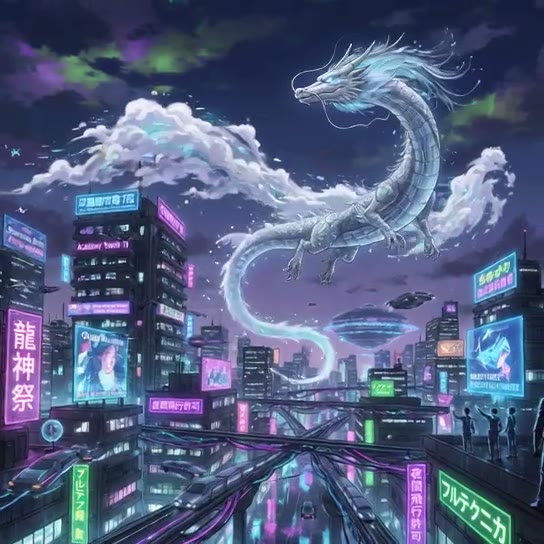
From photorealism and cinematic renders to anime, cyberpunk, and dark fantasy — Spicy Mode handles any aesthetic with equal precision.
Optimized GPU infrastructure delivers results in seconds. Generate multiple variations quickly to find the perfect output.
While Spicy Mode reduces content filters for creative expression, strict safeguards prevent non-consensual imagery and illegal content.
How to Make a Grok Imagine Spicy Video Online
Everything runs in your browser — no app to install and no local GPU. Follow these steps to go from an idea or a still photo to a finished Spicy clip.
In the generator above, the model is Grok Imagine and Mode is set to Spicy. Normal and Fun are one click away if you want a cheaper, filtered take.
Text to Video builds the scene from your words. Image to Video animates an uploaded photo: one image becomes the first frame, several act as references.
Describe who is in frame, their outfit and mood, the setting and lighting, how they move and how the camera follows. Concrete details beat vague adjectives.
Pick 6–30 seconds and 480p or 720p. Spicy costs 4 credits per second at 480p and 8 at 720p, so a 6-second 480p clip is 24 credits. Use 9:16 for Reels and TikTok, 16:9 for YouTube.
Submit and wait for the render. If a clip fails or is moderated, its credits are refunded automatically. Downloading video files needs a paid plan or a past credit purchase.
Test motion and framing with a 6-second 480p clip (24 credits) before paying for longer or 720p takes.
Prompts involving minors, real people without their consent, or illegal content are always blocked, even in Spicy Mode.
For Image to Video, a sharp, well-lit photo with one clear subject keeps faces and bodies stable across the clip.
If a prompt is moderated, change the wording or tone down one detail rather than sending the same text again.
Creative Professionals Who Need Unrestricted AI
Create bold concept art, character designs, and artistic compositions without AI censorship blocking your creative process.
Generate engaging, eye-catching visual content for social media, marketing campaigns, and digital brand storytelling.
Produce avant-garde fashion concepts, swimwear designs, lingerie lookbooks, and boundary-pushing visual editorials.
Design mature characters, dark fantasy creatures, horror assets, and cinematic storyboards for adult-oriented entertainment.
Everything About Grok Spicy Unfiltered Mode
Grok Imagine Spicy Mode is a generation setting that reduces content restrictions, so you can create bolder, more provocative AI videos that standard AI tools would block.
Spicy Mode is already selected in the generator at the top of this page. Elsewhere on the site, open the Grok Imagine video generator and set Mode to Spicy. Then sign in, enter a prompt or upload a photo, and click Generate.
Yes. New users receive free welcome credits on registration plus 2–3 credits from each daily check-in. A Spicy video costs 4 credits per second at 480p (24 credits for 6 seconds) and 8 per second at 720p. Image downloads are free; downloading video files requires a paid plan or a past credit purchase. Top-up packages are available for high-volume creation.
You can generate artistic nudity, sensual portraits, edgy fashion, dark fantasy, horror, violence/action scenes, and other mature themes that are typically restricted on other platforms.
Grok Imagine Spicy Mode runs in your browser and produces photorealistic videos with motion and sound, without the local GPU, model downloads and setup that open-source alternatives like Stable Diffusion require.
Yes! Grok Imagine supports text-to-video and image-to-video generation in Spicy Mode, complete with synchronized native audio effects and background music.
Normal mode applies standard content moderation for safe, everyday use. Fun mode adds creative flair with moderate filtering. Spicy mode minimizes restrictions for maximum artistic and creative freedom.
Yes. Generating mature content using AI for personal and commercial creative projects is legal in most jurisdictions, provided the generated content does not depict minors or non-consensual material.
Even in Spicy Mode, certain hard safety boundaries are strictly enforced: child safety, non-consensual imagery (deepfakes of real people without consent), and illegal content are always blocked.
Yes, on a paid plan. Any paid plan or credit purchase includes a commercial license for all content in your account, including Spicy videos; content made on the free plan is for personal use. Either way, you are responsible for clearing third-party rights such as likeness, trademarks or copyrighted characters.