
Kling 4.0: 30-Second AI Videos With Stereo Sound and 10 Reference Images
Kling 4.0 generates 3 to 30-second videos in 720p or 1080p with stereo audio built in. It supports text-to-video, first and last frame control and up to 10 reference images. Features, pricing, prompt tips and how to use Kling 4.0 online.
Kling 4.0 is the newest Kling video model. It makes clips up to 30 seconds long, always with stereo sound, and it can keep characters and products consistent using up to 10 reference images.
Kling 4.0 is now live on Grok Imagine. Here is what it does, what it costs, and how to get good results.
What Kling 4.0 Does
| Kling 4.0 | |
|---|---|
| Input | Text, first frame, first + last frame, or up to 10 reference images |
| Length | 3 to 30 seconds |
| Resolution | 720p or 1080p |
| Aspect ratio | 16:9, 9:16, 1:1 or 21:9 |
| Audio | Always on, stereo |
| Price on Grok Imagine | 5s: 59 credits (720p), 88 credits (1080p) |
Sound is part of every clip
Kling 4.0 generates the audio together with the picture, so ambience, effects and music follow what happens on screen. There is no silent mode, so describe the sound you want in the prompt.
Up to 30 seconds
You can pick any length from 3 to 30 seconds. That is enough for a full product demo, a short story beat or a music-video section in one generation.
Reference images
Switch Image Use to Reference Images and upload up to 10 images of a character, product or place. Mention them in your prompt as @image1, @image2 and so on:
@image1 holds @image2 up to the camera in a bright studio, slow turntable shot
First and last frame
Upload one image to animate it, or two to create a transition. Frame mode follows the aspect ratio of your first image.
Kling 4.0 vs. Kling 3.0
| Kling 4.0 | Kling 3.0 | |
|---|---|---|
| Max length | 30s | 15s |
| Max resolution | 1080p | 4K |
| Audio | Always on (stereo) | Optional |
| Reference images | Up to 10 | ❌ |
| 21:9 cinematic ratio | ✅ | ❌ |
| Negative prompt | ❌ | ✅ |
| 5s / 1080p with audio | 88 credits | 56 credits |
Pick Kling 4.0 for long clips, consistent characters and finished sound. Pick Kling 3.0 for 4K output or cheaper silent clips.
What We Saw in Our Test
We ran two 5-second, 720p tests on Grok Imagine.
Text to video:
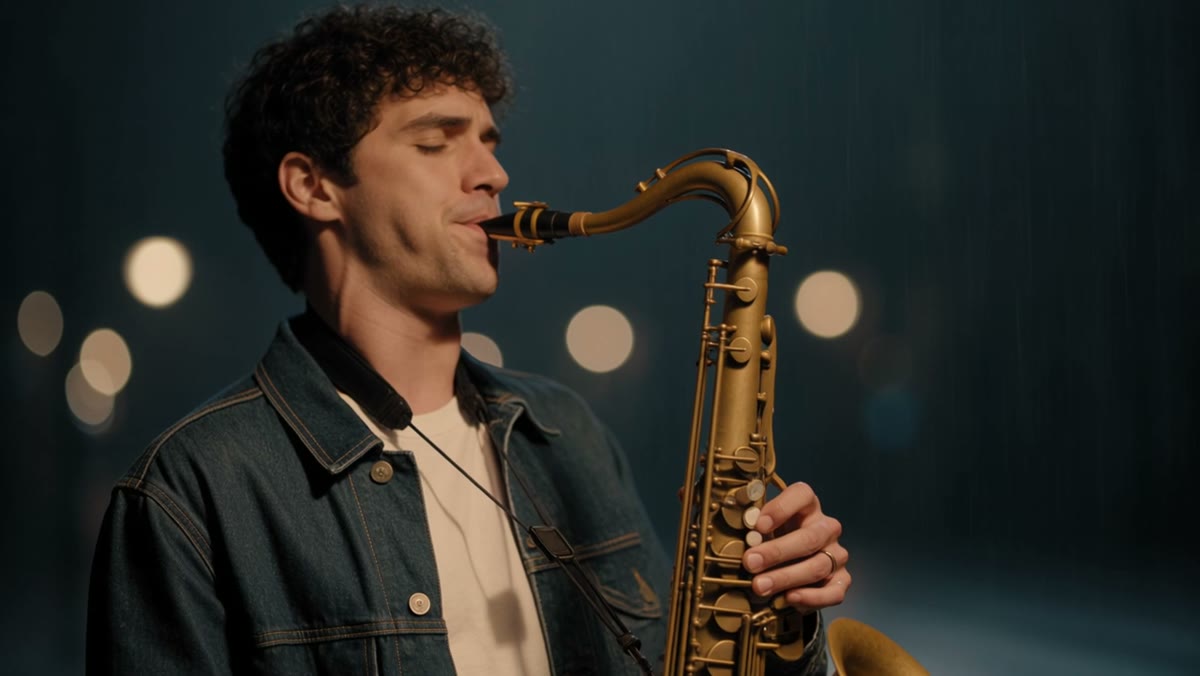
A street musician plays a saxophone under a flickering streetlight in the rain, people with umbrellas pass by, warm cinematic light, the music echoes
The clip took about five minutes, longer than Kling 3.0 or Seedance 2.5 Flash. It came back with a stereo soundtrack and a shallow-focus, film-like look.
First frame: we animated an illustration of children floating in a space station. It took about four minutes. The style and characters stayed consistent with the source image, and Kling 4.0 added a stereo soundtrack without being asked.
Plan for a few minutes per clip with Kling 4.0, especially for longer lengths.
Prompt Tips for Kling 4.0
- Write the soundtrack into the prompt. "the saxophone echoes off wet brick walls, rain patters on umbrellas" gives Kling 4.0 something specific to generate.
- For long clips, write a sequence. "First the camera…, then she…, finally…" keeps 20–30 second clips on track.
- Use 21:9 for cinematic shots. It gives a film-style widescreen frame for trailers and intros.
- Keep reference images clean. A clear, well-lit photo of each character or product works better than a busy scene.
- Test short, then go long. Kling 4.0 bills per second. Try the prompt at 3–5 seconds and 720p, then render the full length.
More prompt structure is in The Complete Prompt Guide.
How to Use Kling 4.0 on Grok Imagine
- Open the AI video generator. Kling 4.0 is preselected from this link.
- Choose text-to-video, or image-to-video with First / Last Frame or Reference Images.
- Set the length (3–30s), resolution and aspect ratio.
- Click Generate.
Kling 4.0 is available on any paid plan or credit pack. See pricing.
FAQ
Does Kling 4.0 always generate sound? Yes. Every Kling 4.0 clip has stereo audio.
Does Kling 4.0 support 4K? No. It renders at 720p or 1080p. For 4K, use Kling 3.0.
How long can Kling 4.0 videos be? From 3 to 30 seconds.
How much does Kling 4.0 cost? About 11.7 credits per second at 720p and 17.5 credits per second at 1080p, for example 59 credits for a 5-second 720p clip.
More Posts

Kling 3.0 AI Video Generator: 720p, 1080p and 4K, With Optional Audio
Kling 3.0 turns text or images into 3 to 15-second videos in 720p, 1080p or 4K, with first and last frame control and optional sound. Features, credit pricing, prompt tips and how to use Kling 3.0 online.


Veo 3.1 Lite: The Cheapest Way to Make Veo 3.1 Videos With Audio
Veo 3.1 Lite is Google's lightweight Veo 3.1 model: 8-second text-to-video clips with native audio in 720p, 1080p or 4K. See what it can do, how it compares to Veo 3.1 Fast and Quality, what it costs, and how to try it online.

The Complete Prompt Guide for AI Image and Video Generation
Learn how to write effective prompts for AI image and video generation. Covers prompt structure, best practices, common mistakes, and ready-to-use examples for text-to-image, image-to-image, text-to-video, and image-to-video workflows.